
The different parts of a website, and what they should cost
Created 11th July 2024In this article we breakdown all the different parts that are needed to create a working website, and their associated costs at the budget end of the market. These aren’t just bits and bobs we think you should have, but rather things that are absolutely necessary for a modern website to function.
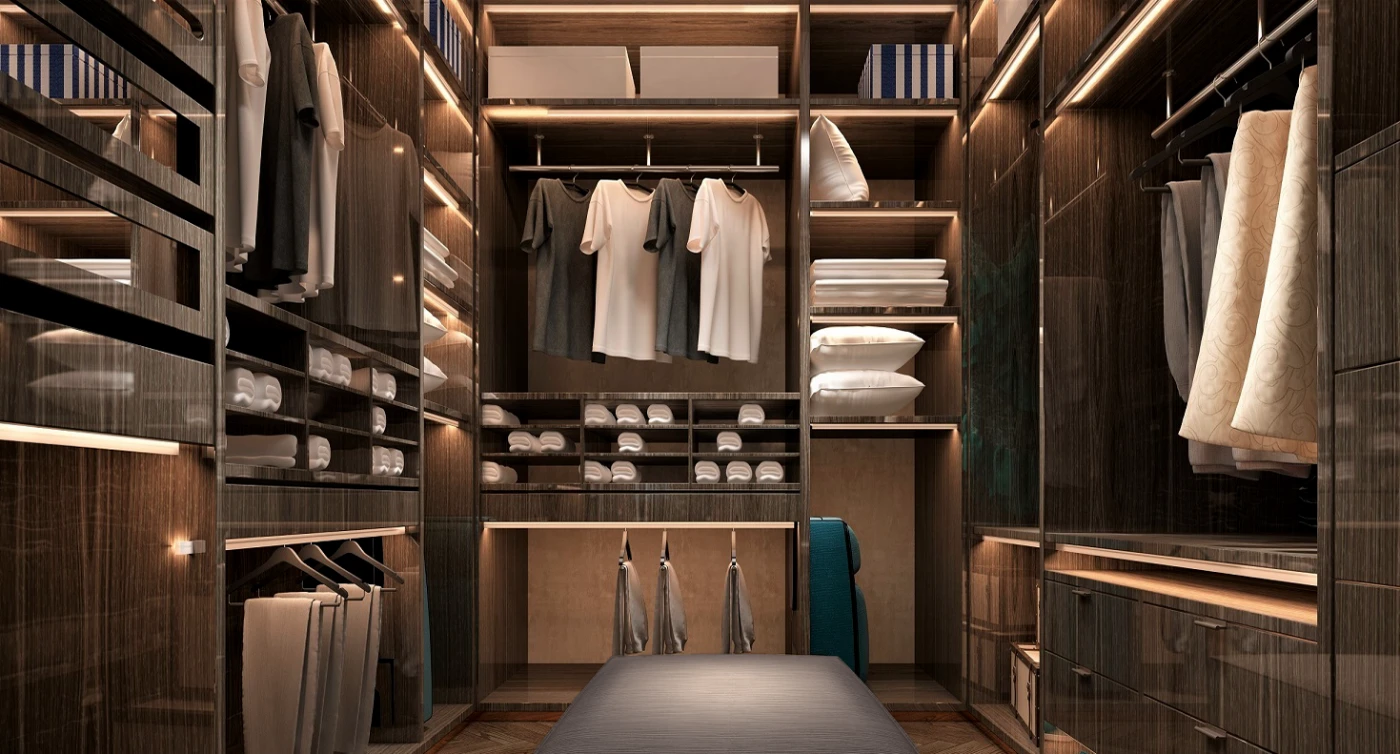
Let’s just say a website is just like a flat-pack wardrobe - you’ll see why in a minute.
The Code (the actual website)
OK, so this might be a patronising place to start, but the entire web runs on code. Like words make a book, code makes a website. The code used by websites is essentially a set of instructions in a language that your web browser understands in order to draw and display your webpages correctly on every computer in the world. Just like an instruction manual for a flat-pack wardrobe might be in English, Spanish, or Japanese for us humans to follow - the language that your web browser understands is called HTML, and it downloads the HTML instruction manual (the code) for the website you’ve asked for, and puts that website together on your screen.
The Code = Instruction ManualImages
In order to build your flat-pack wardrobe, you’re gonna need some panels, screws and fixings, which are already made (and hopefully included) so you don’t have to break out your carpentry and blacksmith skills. The instruction manual tells you which screws to use and where to insert them. Images on websites are exactly the same. The code instructs the browser to ‘Grab Image-2 from the folder and insert it under the paragraph you just put together’.
Images can be logos, photos, diagrams or background graphics that make your website look a lot nicer.
Images = Pre-made Wardrobe PartsHosting Server
So before you go and get one, the flatpack wardrobe you want lives in a warehouse right? …usually a Swedish one. Well the hosting server is the warehouse where the code and images actually live before you ask to take it home.
Hosting Server = Storage WarehouseDomain Name
So warehouses are very technical, inaccessible places with no warmth or identity they don’t help you to imagine what your new wardrobe will feel like in your home …and that’s why furniture shops exist. They’re far nicer places that are way more relatable, and they attract people way more than industrial warehouses do. Each shop tends to have its own identity which makes them far more memorable than a cold generic warehouse.
So the domain name (aka web address or URL) is the memorable and relatable shop. You type an easy-to-remember domain name into your browser and that lets the browser grab the right folder on the hosting server containing all the bits for that website, just like a shop assistant will order the particular flat-pack from the warehouse and get it delivered to you ready to put together (hopefully containing a wardrobe).
Hosting servers are very technical environments and use a system of numbers called IP addresses. A domain name is a very necessary way of changing 192.168.1.555 into Pixel Club.co.uk - or whatever
Domain Name = Easily Accessible ShopSecurity Certificate
Oh how to keep up the wardrobe analogy for security certificates without going super nerdy?
Have you noticed how website nowadays have https at the start (and probably a little padlock), rather than just http? Well that ’S’ added to the end stands for SECURE.
It’s like the shop (Swedish or otherwise) demanding to see ID with your address on it (in order to prove you are who you say you are, and you live where you said you do) before they’ll deliver your wardrobe. Or better still, it’s a credit check.
Without producing valid ID and proof of address, your experience at the furniture shop will be very inhospitable indeed, and you’ll never go back. Websites without security certificates are no different.
If your website doesn’t have a security certificate, https won’t work, your website won’t be considered secure and most browsers will display the below warning message (instead of your actual website) - essentially scaring all your visitors away.
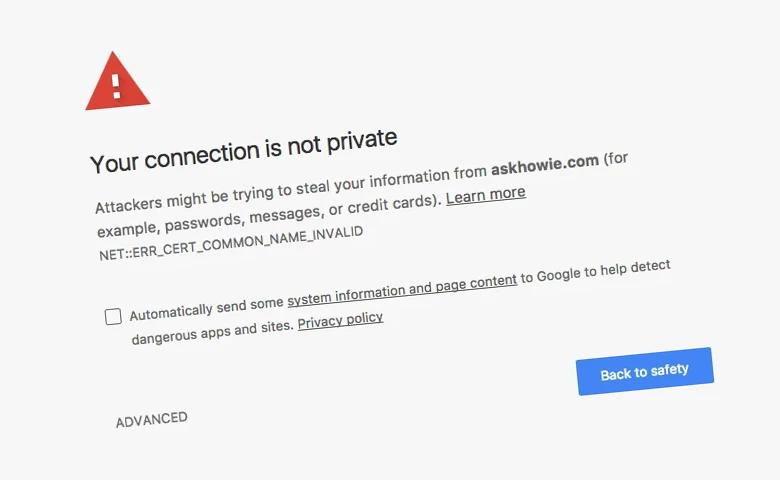 Security Certificate = ID / Credit Check
So what does all this cost?
We’ve compiled the below examples from different well-known budget website providers and then compared them to our way of doing things. We're not including any expensive, bespoke providers here, we're being fair and keeping all comparisons to companies that offer budget websites only. Hopefully this article has helped you understand what parts go into making a working website (and you didn’t mind us selfishly showing off at the same time).
Website Essentials
- The Code - Bespoke Web Developers (£2,000 - £50,000 one-off fee) vs Automated DIY Builders (free templates ready) vs PixelClub Pre-made and real people (£99 one-off setup fee)
- Images - Designers (around £50 - £80 per hour) vs The Photo Box (free and ready)
- Hosting Server - Other providers (£12 - £50 per month) vs PixelClub SSD 100% Renewable Energy (included as standard)
- Custom Domain Name - Other providers (some charge extra, some bundle in) vs PixelClub (included with custom emails as standard)
- Security Certificate - Other providers (GoDaddy's start at £49.99 extra per year) vs PixelClub (included as standard)
Website Luxuries
- Beautiful Web Design (around £50 - £80 per hour) vs PixelClub (included as standard)
- Mobile Responsive (usually included with the code build (£2,000 - £50,000 one-off fee) vs PixelClub (included as standard)
- Speed of launch - Build it yourself (days to weeks) vs PixelClub (Same day or next day launch)
- Talk to the person actually coding your site - Other providers (not a chance) vs PixelClub (included as standard)
- Blazing fast SSD hosting - Other providers (most offer this, some for a fee) vs PixelClub (included as standard) and we run on 100% renewable energy too!
- Integrate YouTube videos - Other providers (most offer the ability to paste in code you can easily get from the YouTube share menu) vs PixelClub (we do if for you at no extra cost)
- Green - Other providers (most run some kind of renewable energy) vs PixelClub (very). We're a fully accredited paperless business and all our servers operate on 100% Renewable Energy. In fact we actually sponsored the Global Paperless Logo initiative.
We love it when companies do things properly, make things as simple as possible and offer everything you need with no catch or hidden fees. So we thought we'd be like that too.
More News...
Google Just Shook Up Search Rankings — Here's Why Your Website Shouldn't Panic
Your Website's New Job: Getting Picked by AI (Not Just Google)
PixelClub V5 arrives!
The Global Paperless Logo joins the club!
The new Thumbs module launches in 2 flavours!
Global armour producer AAE comes onboard
Nationwide compliance company MIES Facilities Management joins the family
MOR Estates are in the club
A Big August Upgrade for The Photo Box
Make The Room join Pixel Club. It's all part of the plan.
The different parts of a website, and what they should cost
HSH Contractors are in the PixelClub with a brand new website - and they've got melty stuff that glows!!
How to design a website from scratch
Gorgeous new website for Tamsin Wheatcroft Recruitment with photography by Serosensa
A new concept for affordable websites?
3D modelling firm Model Ideas joins
Local guide sets up Mansfield Woodhouse through Pixel Club
The PixelClub Story
Circle
PixelClub Websites ready to take on the big boys of budget website supply. We'll keep you posted!


