
How to design a website from scratch
Created 25th April 2024
Should you use a website builder?
If you just need a website and are not hugely concerned about style or first impressions, then you’re probably going to want to sign up to a generic website builder like Wordpress, Wix or Squarespace. In our opinion, these generally use simplistic boxy models which can be very clunky and rely heavily on great photography to make the website look good. Honestly, take a look and imagine the templates without the expensive curated photography.
So, if you have some really good photography for your business then great. Or if making a great impression isn’t at the top of your list and you just need a box ticking then you’ll be absolutely fine with these manual website builders. You’ll just need to subscribe to one of the services, buy hosting space (where your website files will live online), buy a domain (which sends people to your website), buy one of their templates and upload and experiment with all your content.
You’ll also want to check that the domain/hosting combination comes with a security certificate (which adds the little padlock and the https:// prefix to your domain instead of the old http://) which generally you’ll be charged extra for (123.reg charge £59.99 extra for this!) - even though you really do need one as most browsers block website that aren’t secure now.
In addition you also need to check that all your content works on desktop and transforms properly for mobiles. Unfortunately with website builders you don’t generally have much control over moving and tweaking your content if they don’t quite sit nicely on the page - but that’s not to say it won’t be legible. It should look absolutely fine if the template is one of the better ones.
Should I have a crack at coding it myself?
Well, naturally there’s a far steeper learning curve getting into the code that runs a website. But it’s certainly not impossible. If you have an enquiring mind and you like tinkering - it honestly might be the way to go. You might absolutely love it. Coding the website yourself will obviously take far longer, but if it suits you, and you really want to tweak every little detail until it’s perfect, this might be a very enjoyable experience once you get to a certain level (a bit like running or cooking). We should say it WILL be frustrating to begin with but here’s a very simplified outline of how it all works.
All code is nested
Imagine an office desk with a pen on it. The ink is inside the pen, the pen is in a pot, which is on a desk, the desk is in the office, which is inside the building. Websites are nested in exactly the same way. Here’s some HTML code (website code) to illustrate…
Oh by the way, a ‘div’ is coding speak for a box that contains something - a container you might say. A ‘class’ is a name that identifies what that container is and ‘p’ is a paragraph of text.
   <div class=“building”>
     <div class=“office”>
       <div class=“desk”>
         <div class=“pot”>
           <div class=“pen”>
             <div class=“ink”>
               <p>Here’s a paragraph</p>
             </div>
           </div>
         </div>
       </div>
     </div>
   </div>
You’ll notice that everything is defined within ‘tags’ (these things <> which act like capital letters and full stops do to define the start and end of sentences). We then close each nested container with separate closing tags by adding ‘/‘ before the div or paragraph - ie <div> opens a container and </div> closes it. You’ll see above that this works for other stuff too, like the paragraph we coded.
CSS
The beauty of giving each thing a ‘class’ (a name) is that we can then style them up individually. CSS stands for Cascading Style Sheets and is a separate type of code that we use to explain to the browsers how we want to decorate everything. So here’s some CSS code for you to dissect and understand (hopefully).
   .building {
      height: 100%;
      width:  100%;
   }
   .office {
      color: blue;
   }
   .desk {
      height: 200px;
      width:  200px;
   }
   .pen {
      color: silver;
   }
   p {
      color: blue;
      font-size: 14px;
   }
So in CSS, a class is defined with a full stop ahead of it’s name, whereas a paragraph doesn’t need that as it’s a staple of HTML code. Every webpage uses <p> tags to define a paragraph, but ‘building’ and ‘pen’ etc were custom names we made up for the different <div> containers.
In the above CSS code we’ve made the building as big as the browser window, painted the office blue, made the desk square and 200 pixels wide, made the pen silver and the ink blue. We could have made the ‘ink’ class blue, but instead we’ve shown that you can also make the paragraph blue as that’s where the text lives (ie within the <p> tag).
Although this sounds quite complex, once you’ve spent a bit of time playing with the code, you’ll be ready to start experimenting with other stuff like adding images and styling every part in order to build a real webpage. You’ll still need all the hosting, domain, security certificate, your photos and writeups like you would with the website builder, but with enough time invested you can absolutely design and change every part of the website until it’s exactly how you want it.
What if I don't have time?
If you don’t even have the time to build a website using a web builder (nevermind coding it yourself), and you don’t like all the extra expenses bolted on, then maybe's there's another way...
This is obviously the part of the article where we offer a third option that is better for you than either of the traditional options. And we really think we can! PixelClub Websites was conceived precisely because of the huge compromises you had to swallow if you wanted a website without paying a web design company thousands of pounds!
It’s got to look amazing!
By throwing out the rulebook and spending ages designing a single website that makes every business look incredible and established we think we have found a great way to offer everything a small business could need without needing hours and hours adapting it to you - it’s all ready to go, and it’s miles ahead of what the big boys are churning out.

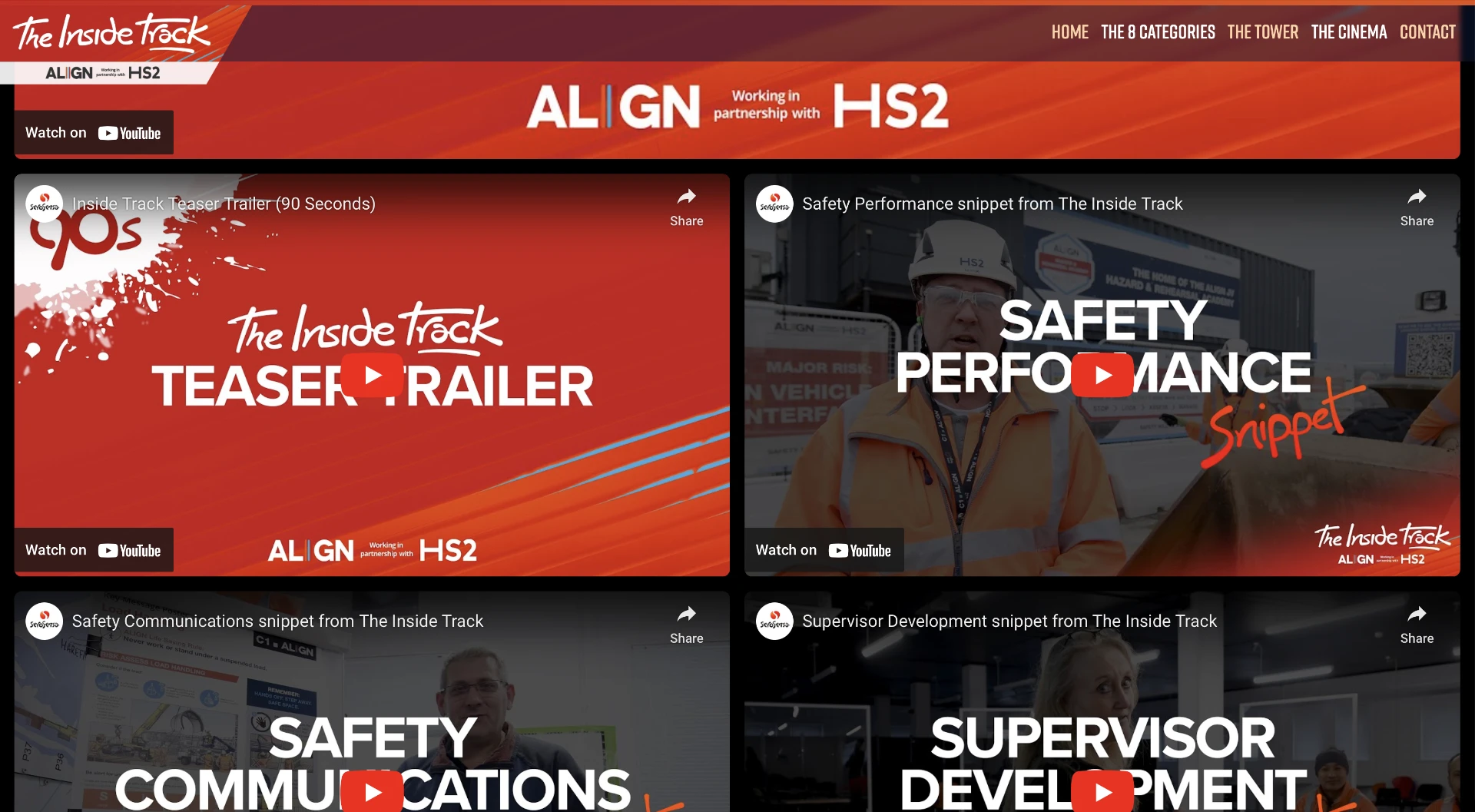
In fact it's not just small businesses this works for. We were actually asked to make a site for HS2's video newsletter!
Customer Service - The Human Touch
We’ve worked hard to design a process which gives you an actual talented human to tailor your website to perfection within a day. You can talk to them and everything! You don’t have to build anything yourself and all you really have to do is choose your 50/50 images and send us your text - we reckon it’s magical!
Here’s why we think you’ll like us…
USPs
- Not built on a clunky CMS web builder - made with love
- HTTPS Security Certificate Included (123.reg charge £59.99!)
- Already built - We do all the work. No DIY or website builders
- Fast - Same day or next day launch
- Effortless - Only need a logo and a few paragraphs of text
- Existing Photo Library - No need to worry about photography if you don’t have any
- All-in pricing - Only price is set monthly payment
- Scaleable - You only pay for what you need. Your costs won’t grow unless your business grows and needs more features
- Hands held - talk to the person actually coding your site
- Incredible hosting - Hosted on blazing fast UK SSD servers includes hosting domain and emails
- Videos included - Integrating your YouTube videos is easy, so we’ll throw that in too!
- All our hosting servers runs on 100% Renewable Energy

